Infrastructure as Code: The Fundamentals That Actually Matter
A ground-up explanation of IaC: what it is, why it exists, how the tooling evolved from shell scripts to GitOps, and the real trade-offs no one talks about.
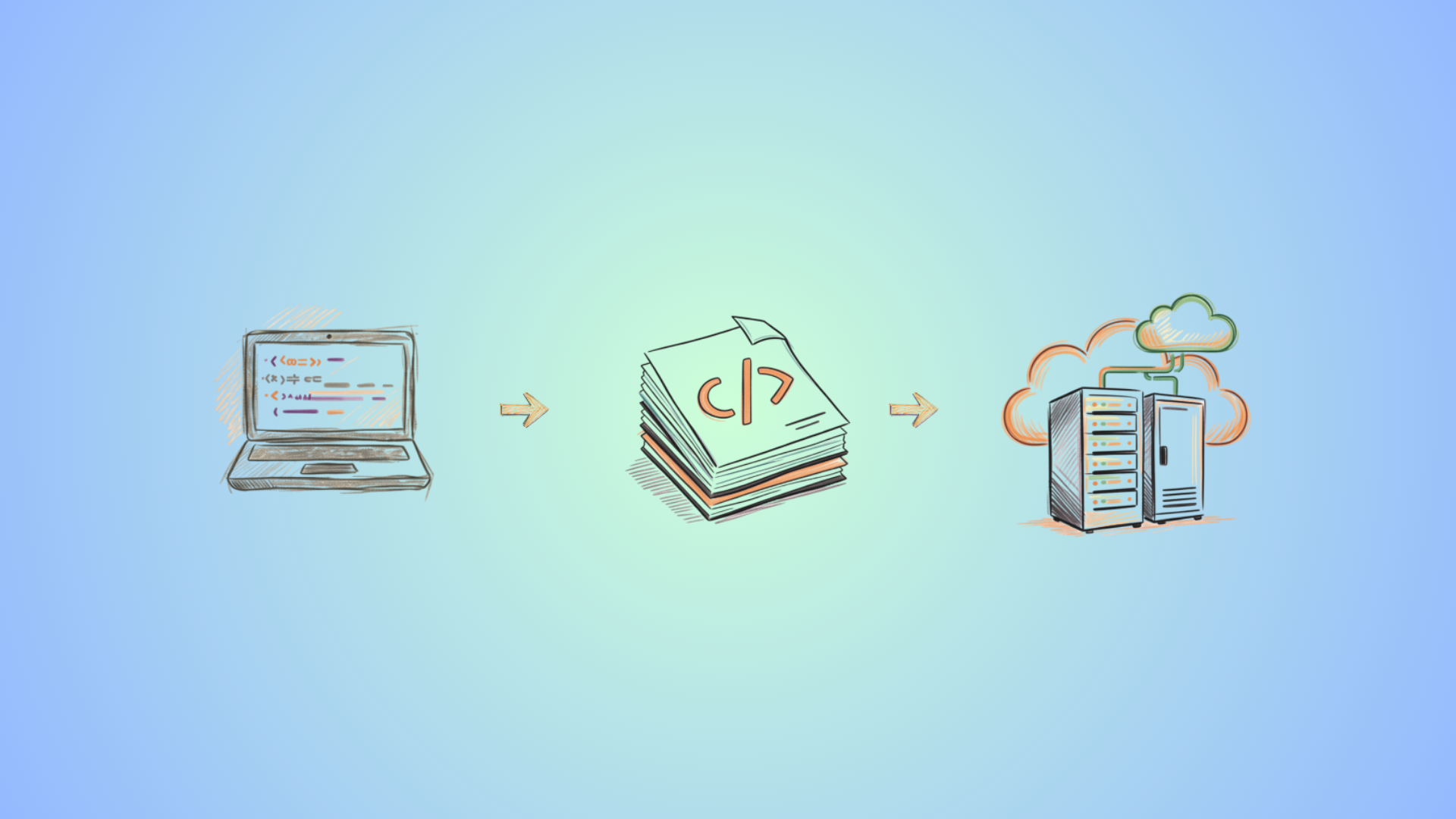
Before IaC, infrastructure was built by hand. Configs were copied from memory. Wikis went stale the moment they were written. Exact versions were rarely recorded. You guessed, it mostly worked, and you moved on.
Weeks later, production went down: a version mismatch between staging and prod that nobody had tracked because nobody had written it down.
That’s the problem IaC solves: not that manual work is slow, but the gap between what you built and what you can prove you built. Every manually configured server is a hypothesis. IaC turns it into a fact you can version, diff, and reproduce.
What IaC Actually Is
Infrastructure as Code is the practice of defining and managing infrastructure—servers, networks, databases, DNS records, IAM policies, firewall rules—through machine-readable files checked into version control, instead of through UIs, runbooks, or one-off commands.
The “code” part matters more than people realize. It’s not just about writing configs. It means your infrastructure gets the same engineering discipline as software:
- Version control: every change is tracked (who made it, when, and why
- Code review: infra changes go through a PR, get reviewed, get approved
- Automated testing: configs get linted, validated, and tested before they touch production
- Reproducibility: the same config produces the same environment, every time, for everyone
The opposite of IaC isn’t “doing things manually.” The opposite is what the industry calls snowflake infrastructure: environments so unique, so full of undocumented tweaks and one-off fixes, that no two servers are quite the same, and nobody fully understands what any of them are doing. You can’t rebuild them from scratch. You can only pray they stay up.
If you’ve ever heard someone say “don’t touch the database server; only Ahmad knows how it works,” that’s a snowflake. And Ahmad is a single point of failure.
Pets vs. Cattle
There’s an old analogy in DevOps that captures this perfectly.
Pets are servers you name, nurse back to health when they’re sick, and worry about individually. You SSH in. You fix things by hand. When something breaks, you investigate, patch, and move on. The server has a history and a personality.
Cattle are interchangeable. You don’t name them. You give them numbers. When one gets sick, you don’t fix it. You replace it with a fresh one. The replacement is identical because it was built from the same definition.
IaC is what makes cattle possible. Without it, every server you provision becomes a pet whether you want it to or not, because the moment a human touches it manually, it diverges from everything else.
This isn’t just a philosophical point. It has very real operational consequences:
- Can you recover from a failed server in 10 minutes? With IaC, yes. Without it, probably not.
- Can a new engineer on the team reproduce your entire staging environment? With IaC, yes. Without it, they need weeks of tribal knowledge.
- Can you scale from 2 servers to 20 on short notice? With IaC, it’s a variable change. Without it, it’s an all-hands panic.
How We Got Here: The Evolution of IaC
The tooling didn’t appear overnight. It evolved over 30 years in response to real pain, and understanding the progression explains why the modern tools look the way they do.
Phase 1: Shell Scripts (1990s–2000s)
The first IaC was a Bash script. And honestly? It’s better than nothing, and at least you had some record of what you did.
#!/bin/bash
apt-get install -y nginx
cp nginx.conf /etc/nginx/nginx.conf
systemctl enable nginx && systemctl start nginx
The problem is fundamental: shell scripts are a list of commands, not a description of desired state. They assume a clean starting point. Run them twice and you get duplicate config entries, errors on already-created resources, or subtly broken state. They don’t know what’s already there. They just run.
The other problem is that scripts rot. The person who wrote it left. The comments are out of date. The package names changed. The distro moved on. Now it fails halfway through and you have no idea what state the server is in.
Phase 2: Configuration Management (2005–2012)
This is where things got serious. CFEngine (1993) was first, but it was Puppet (2005), Chef (2009), and Ansible (2012) that brought configuration management to the mainstream.
The key idea these tools introduced: idempotency.
Instead of “run these commands,” you declare desired state: “nginx should be installed at version 1.24, its config should look like this, and it should be running.” The tool compares what’s actually on the system against what you declared, and only makes the changes needed to close the gap. Run it again with no changes? Nothing happens. That’s idempotency—the tool is safe to run over and over again.
Here’s what that looks like in Ansible:
- name: Configure web server
  hosts: webservers
  tasks:
    - name: Install nginx
      apt:
        name: nginx=1.24.*
        state: present # "present" means "make sure it's installed"

    - name: Deploy config
      template:
        src: nginx.conf.j2
        dest: /etc/nginx/nginx.conf
      notify: Restart nginx # only restarts if the file actually changed

    - name: Ensure nginx is running
      service:
        name: nginx
        state: started
        enabled: true

  handlers:
    - name: Restart nginx
      service:
        name: nginx
        state: restarted
If nginx is already installed at the right version, nothing happens. If the config file is identical to the template, nothing happens, and nginx doesn’t restart. If you run this playbook on 50 servers at once, it correctly configures each one and touches nothing that’s already correct.
This was a huge step forward. But configuration management solved “what’s on the server.” It didn’t solve “what servers exist.”
Phase 3: Declarative Provisioning (2014–present)
Terraform (2014) changed the game by managing the infrastructure layer itself, not just what runs on servers, but what servers exist in the first place, along with their networks, load balancers, DNS records, storage volumes, IAM roles, and everything else.
The key innovation was the state file. Terraform maintains a record of every resource it has ever created. When you run terraform apply, it compares three things: your config (what you want), the state file (what it created last time), and the live infrastructure (what actually exists right now). Then it figures out the minimum set of changes to make reality match your config.
resource "aws_instance" "web" {
  ami           = "ami-0c02fb55956c7d316"
  instance_type = "t3.micro"

  tags = {
    Name        = "web-server"
    Environment = "production"
  }
}
When you change instance_type from t3.micro to t3.small, Terraform doesn’t destroy and recreate the instance. It issues an API call to resize it in place. It knows exactly what it created and exactly what needs to change. Shell scripts have no such awareness.
Pulumi (2017) followed with the same model but let you write configs in TypeScript, Python, or Go instead of HCL. For teams already deep in software engineering, that’s a meaningful advantage. For pure infrastructure teams, Terraform’s HCL is usually fine.
Phase 4: GitOps (2017–present)
GitOps inverts the entire model. Instead of a human running terraform apply from their laptop, a controller running inside your infrastructure continuously watches a Git repository and reconciles live state against what’s declared there.
Tools like ArgoCD (for Kubernetes), Flux, and Atlantis (for Terraform) implement this. The Git repo is the single source of truth. Any drift from it—someone manually changed something, a bug crept in, a resource was accidentally deleted—triggers automatic reconciliation or a loud alert.
This matters at scale. When 50 engineers can merge PRs that touch infrastructure, you can’t rely on “the right person runs apply.” The apply needs to be automatic, logged, auditable, and gated by CI. GitOps provides all of that without requiring anyone to remember which command to run.
Declarative vs. Imperative: The Distinction That Changes Everything
Almost every design decision in IaC flows from one core distinction:
Imperative: “Do these steps in this order.” Declarative: “This is what I want. Figure out how to get there.”
Shell scripts are imperative. Terraform is declarative. Ansible sits in between, meaning that each individual task is declarative (“ensure this package is present”), but the sequence of tasks runs imperatively.
Declarative tools are safer for infrastructure for three reasons:
- They’re re-runnable by default. Applying the same config twice causes no harm.
- They show you what will change before they change it.
terraform planprints a diff. You review it. Then you apply. No surprises. - They’re self-documenting. The file describes what exists right now, not what someone did at some point in the past.
The trade-off is that declarative tools require more upfront thinking. You can’t just say “if this flag is set, run this command.” You have to express your intent as desired state, and sometimes that’s awkward. Some things are genuinely easier to script. But for anything you care about maintaining over time, declarative wins.
The Main Tool Categories (and Why They’re Not Competitors)
One of the most common confusions I see: people treat Terraform and Ansible as competing tools and try to pick one. They’re not competing. They operate at different layers and solve different problems.
| Layer | What it manages | Primary tools |
|---|---|---|
| Provisioning | Cloud resources, VMs, networks, DNS, IAM | Terraform, Pulumi, CloudFormation |
| Configuration | OS packages, files, services, users, cron | Ansible, Puppet, Chef |
| Application | Container deployments, scaling, rollouts | Kubernetes, Helm, ArgoCD |
| Image building | Pre-baked OS images with software installed | Packer |
Terraform provisions the VM. Ansible configures what runs on it. Packer bakes images so Ansible has less to do at runtime. Kubernetes runs your containers on the infrastructure those first three defined. They all belong in the same pipeline…in sequence.
The common mistake is trying to use one tool for everything. Terraform can run shell commands via local-exec, but that doesn’t mean it should configure your servers. Ansible can create AWS resources using its cloud modules, but state management without Terraform is a nightmare. Stay in your lane.
Real-World Use Cases
Multi-environment parity
The most immediate practical win: staging and production defined from the same Terraform modules, with only a .tfvars file separating them.
# environments/production/terraform.tfvars
instance_type    = "m6i.xlarge"
db_replica_count = 3
domain           = "api.miracode.dev"

# environments/staging/terraform.tfvars
instance_type    = "t3.medium"
db_replica_count = 1
domain           = "api.staging.miracode.dev"
Both environments are provably built from the same code. When staging behaves differently from production, you know it’s because of those explicit differences, not because someone manually tweaked something a few months ago.
Disaster recovery
A server dies. Without IaC, you spend hours reconstructing it from memory, half-updated wikis, and ~/.bash_history. With IaC, you run terraform apply against the same config and get an identical server. Ansible brings it to the right configuration state. Total recovery time: minutes, not hours.
This is also how you sleep better at night. Not because things won’t break (they will) but because you know you can recover from it.
Spinning up a homelab k3s cluster
On my QEMU/KVM homelab, every VM is defined in Terraform using the libvirt provider. The cloudinit_disk resource injects SSH keys, hostnames, and initial users at boot:
resource "libvirt_domain" "k3s_node" {
  count  = var.node_count
  name   = "k3s-node-${count.index}"
  memory = 4096
  vcpu   = 2

  disk {
    volume_id = libvirt_volume.node_disk[count.index].id
  }

  cloudinit = libvirt_cloudinit_disk.node_init[count.index].id

  network_interface {
    network_name   = "default"
    wait_for_lease = true
  }
}
Tearing down the entire cluster: terraform destroy. Rebuilding it: terraform apply, then ansible-playbook k3s.yml. Start to finish, around 8 minutes. No clicking. No guessing. No “I think I set that flag, but I’m not sure.”
Compliance and audit trails
Regulated environments need proof that production was configured correctly. IaC gives you that automatically, and the Git history is your audit log. Every change has a timestamp, an author, a PR number, and a reviewer who approved it.
Tools like Checkov add policy-as-code on top of this:
$ checkov -d . --framework terraform

Check: CKV_AWS_79: "Ensure Instance Metadata Service Version 1 is not enabled"
  FAILED for resource: aws_instance.web

Check: CKV_AWS_8: "Ensure EBS volume is encrypted"
  PASSED for resource: aws_instance.web
Now you have automated evidence that your infrastructure meets policy requirements, before it’s even applied.
The Trade-offs Nobody Leads With
IaC is powerful but it’s not free. Here’s what you’re actually signing up for.
State management is a second job
Terraform’s state file is the source of truth for everything it manages. If two engineers run terraform apply at the same time against the same state file, you get a race condition that corrupts state. If the state file gets accidentally deleted, Terraform loses track of what it created and can’t manage those resources anymore.
The solution is a remote backend with locking:
terraform {
  backend "s3" {
    bucket         = "my-terraform-state"
    key            = "production/terraform.tfstate"
    region         = "ap-southeast-1"
    dynamodb_table = "terraform-lock"   # prevents concurrent applies
    encrypt        = true
  }
}
S3 stores the state. DynamoDB provides locking. Nobody applies at the same time. This is not optional for teams, because local state is only acceptable for solo experimentation.
The learning curve is front-loaded
Your first Terraform module will take three times longer than clicking through the AWS console. The tenth will take a third of the time. IaC pays off over time and at scale, not on day one. Be honest with your team about this when you’re making the case for adopting it.
Drift still happens
Someone logs into a production server and edits a config file directly. Now the server no longer matches what Ansible or Terraform says it should be. That’s drift.
The tools help detect and fix drift, for example terraform plan with no changes to your config will show you what drifted, and a scheduled Ansible run will correct it. But only if you run them. The tool doesn’t enforce discipline. You do.
Rollback is not magic
“Just revert the commit” is not a complete rollback strategy. Infrastructure changes are often destructive, if Terraform deleted a security group and traffic broke, reverting the config and running apply again creates a new security group, which doesn’t help traffic that’s already failing. Some changes can’t be undone cleanly.
The right approach is to treat dangerous infrastructure changes the same way you treat database migrations: small, incremental, with explicit rollback steps documented before you apply.
Secrets don’t belong in your repo
This one catches people. Your .tf files and playbooks are in Git. That means you cannot put passwords, API keys, or private keys in them. Ever.
The standard patterns:
- Terraform: read secrets from HashiCorp Vault using the Vault provider, or use environment variables that never touch the state file
- Ansible: encrypt sensitive vars with
ansible-vault, or use the Vault lookup plugin - Both: SOPS-encrypted files committed to Git, encrypted at rest, decrypted at runtime
None of these are particularly fun to set up. But the alternative—a secret in a public (or even private) Git repo—is a breach waiting to happen.
What Good IaC Looks Like in Practice
After years of using these tools, a few habits consistently make the difference:
Modules have one job. A Terraform module named web_server creates a web server. Not a web server plus a database plus monitoring plus IAM roles. One job. Clear inputs in variables.tf, clear outputs in outputs.tf.
Environments are variables, not separate codebases. If you have terraform/production/ and terraform/staging/ with duplicated code, you’re accumulating debt. Use one module, two .tfvars files.
Every apply runs through CI, never from a laptop. terraform plan output goes into the PR description. A human reviews it. The apply happens in CI after merge, with short-lived credentials, against a locked remote backend. No exceptions.
Ansible roles are safe to run twice. This is the definition of idempotency and it’s non-negotiable. If a role behaves differently the second time, it’s broken. Run your playbooks in --check --diff mode in CI to catch this.
Drift is a bug, not background noise. Run terraform plan on a schedule (nightly is common) with no changes to the config. If the plan is non-empty, something drifted. Alert on it. Fix it. Don’t let it accumulate.
How This All Fits Together
Here’s what a working pipeline looks like end-to-end:
PR opened
  ├─ terraform fmt --check       # catch formatting issues early
  ├─ tflint                      # catch deprecated syntax, wrong types
  ├─ checkov -d .                # policy checks which fail fast on security issues
  ├─ terraform validate          # validate syntax and provider schemas
  └─ terraform plan              # show what would change

PR approved and merged
  ├─ terraform apply             # apply the plan
  ├─ ansible-lint                # lint playbooks for issues
  ├─ molecule test               # test roles against a real container
  └─ ansible-playbook site.yml   # configure provisioned infrastructure

Nightly
  └─ terraform plan              # detect drift and alert if non-empty
No human runs apply directly against production. The pipeline is the only path. That discipline is what makes IaC actually auditable rather than just theoretically auditable.
When Not to Use IaC
This part rarely gets covered in introductions, but it’s worth being honest about.
IaC has overhead. You need to learn the tools, set up remote state backends, build CI pipelines, think about secret management, and invest time upfront before you see returns. For a personal project running on a single VPS, that overhead might not be worth it. A well-written Bash script and a good README can be perfectly adequate.
IaC makes the most sense when:
- Multiple people manage the same infrastructure
- You have more than one environment (dev, staging, production)
- The infrastructure is complex enough that manual tracking is error-prone
- Compliance or audit requirements demand a documented change history
- You’re rebuilding things regularly (homelab clusters, ephemeral test environments)
Start small. Don’t try to IaC-ify everything at once. Pick one thing—maybe your production VPC, or your k3s cluster, or your DNS records—and bring it under Terraform. Build from there.
Where to Go From Here
The fundamentals are a starting point. The real depth is in the integration: how Terraform and Ansible hand off cleanly, how you test infrastructure changes before they hit production, and how GitOps controllers keep your live state from drifting away from your declared state.
I’ve written separately about how Terraform and Ansible work together, specifically the handoff between provisioning and configuration management, which is where most teams get it wrong.
Start with one habit: the next time you make a manual change to your infrastructure, write it as a Terraform resource or an Ansible task instead. Commit it. That’s the first step. Everything else is just scaling that habit up.